1. Log into your cPanel account.
2. In the Email section, click on the Global Email Filters Icon.

3. Under Current Filters, You can see all of your existing filters, Click on Edit next to the appropriate one. 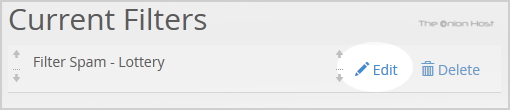
4. Make the desired changes to the filter.
5. Click on the Save Button.
- Home
-
Store
- Browse All
- offshore Shared Hosting
- offshore SSD VPS
- MANAGED offshore VPS
- Windows VPS
- Customizable Dedicated Servers in EU
- Pre-Built OFFSHORE dedicated servers
- Offshore Dedicated Servers
- offshore Streaming Servers
- Netherlands Offshore Dedicated Servers
- Website Builder
- Register a New Domain
- Transfer Domains to Us
- Announcements
- Knowledgebase
- Network Status
- Affiliates
- Contact Us
-
More